

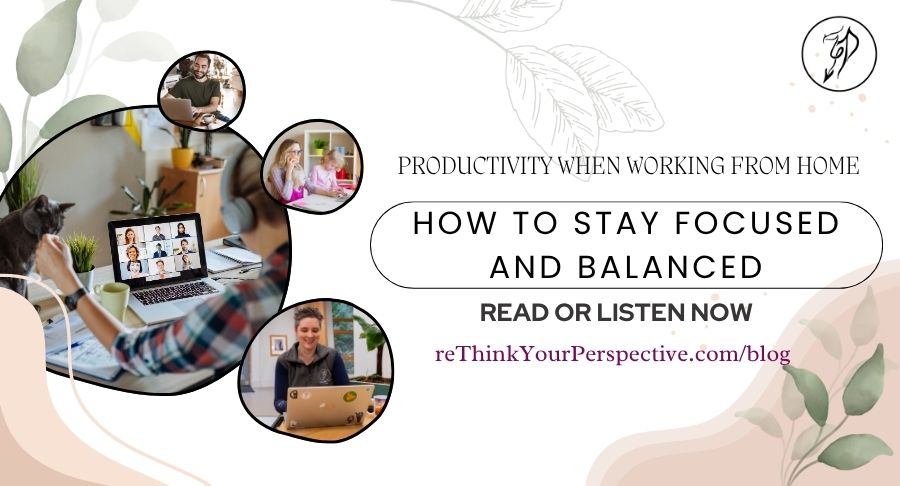
Welcome to reThink Your Perspective’s blog. Your trusted space for unlocking potential, empowering mindsets, building productive habits, and boosting motivation. This episode is looking at boosting your productivity when working from home.
Prefer to listen instead? You can access this blog as a podcast HERE. Don’t forget to join our mailing list for weekly updates and powerful tools to support your growth.
Productivity When Working From Home: How to Stay Focused and Balanced
Working from home sounds ideal. No commute, flexible hours, and the freedom to wear what you like (yes, that includes your pajamas!). Yet anyone who’s tried it knows that it comes with challenges too.
Distractions multiply, boundaries blur, and before long the line between work and home disappears.
That’s why productivity when working from home isn’t just about activity management. It’s about balance, discipline, and self-awareness.
In this article, we’ll explore the most common challenges of remote work, practical working from home productivity tips, and tools that can help you stay focused without burning out.
Common Challenges of Home Working
When your home doubles as your office, comfort can quickly turn into chaos. Here are some of the biggest obstacles to productivity at home:
1. Endless Distractions
The washing machine beeps, the doorbell rings, and your phone lights up every few minutes. Unlike the structure of an office, home environments are full of temptations to multitask.
2. Blurred Boundaries
When your workspace and living space overlap, it’s hard to switch off. You might find yourself checking emails late at night or eating lunch at your laptop. Over time, that constant availability drains energy and focus.
3. Lack of Routine
Without clear start and finish times, workdays can become unpredictable. You might start late and finish late, or worse, feel like you’re “always working” but never truly done.
4. Isolation
Remote work can feel lonely. Without the buzz of colleagues or informal chats, motivation and creativity can dip.
Recognising these challenges is the first step towards improving remote work productivity, and preventing stress before it builds up.
Some Practical Strategies to Stay Productive
Create a Dedicated Workspace
A defined workspace tells your brain, “It’s time to focus.” Even if you don’t have a spare room, a small desk or corner can make a big difference. Keep it tidy, well-lit, and free from distractions.
If possible, avoid working from your bed or sofa. Your posture and mindset will thank you!
Build a Routine That Works for You
Structure brings stability. Start your day with a consistent morning ritual; coffee, exercise, or a short walk, and end with a clear “shutdown” routine to mark the end of work.
Use simple anchors like these to create rhythm:
- Begin at the same time each morning.
- Schedule breaks intentionally (remember Pomodoro?).
- Close your laptop and move away from your workspace once the day ends.
Set Clear Goals Each Day
Before diving into emails, write down your top three priorities. This keeps you focused on impact rather than activity. At the end of the day, reflect on what you accomplished rather than what you missed.
Communicate Boundaries
If you share your space with others, let them know your working hours. A closed door or “do not disturb” signal can minimise interruptions. Likewise, tell clients or colleagues when you’re available, and when you’re not. I love seeing those little additions to people’s email signatures that say “My working hours are such and such, but I do not expect a reply outside of your working hours”.
These simple steps help turn home working into a structured, professional experience rather than a constant juggle.
Tools That Can Support Focus
Technology can be a friend or a foe when working remotely. The key is using productivity tools intentionally, as we discussed in the last episode. Here are a recap of some tools (and some I didn’t mention) that genuinely enhance productivity working from home:
Task Management
- Trello or Asana: visual tools for managing projects and keeping track of deadlines.
- Todoist: great for creating and prioritising daily task lists.
Time Management
- Toggl Track or Clockify: track how long tasks actually take. Seeing the data helps you plan better.
- Pomodoro timers: apps like Focus Booster encourage bursts of deep work followed by short breaks.
Communication and Collaboration
- Slack and Microsoft Teams: keep communication flowing with colleagues while reducing email overload.
- Google Workspace: enables seamless document sharing and real-time collaboration.
Focus and Wellbeing
- Freedom: blocks distracting websites and apps.
- Calm or Headspace: help you unwind and reset between intense work sessions.
The best productivity apps are the ones that simplify your workflow, not complicate it. Try one or two at a time, and review what genuinely helps your focus.
How to Maintain Balance Without Overworking
When your office is your home, it’s easy to let work spill into every hour of the day. True productivity at home means balancing output with rest and recovery.
1. Separate Work and Personal Time
Set clear boundaries around when you start and stop work. Physically closing your laptop, changing clothes, or stepping outside for a short walk signals your brain that the day is done.
2. Take Regular Breaks
Studies show that short breaks every 60–90 minutes improve concentration. Move, stretch, hydrate, or simply breathe. Your mind will stay sharper for longer.
3. Don’t Skip Lunch
It sounds simple, but skipping meals leads to fatigue and irritability. Step away from your desk, ideally into another room, to reset your focus.
4. Reconnect with People
Schedule time for connection, whether it’s a video chat with colleagues or coffee with a friend. Social interaction replenishes motivation and creativity.
5. End Your Day Intentionally
Reflect on what went well, plan for tomorrow, then log off fully. A short gratitude habit, noting three wins or moments of progress, helps close the day on a positive note.
Balance isn’t about perfection; it’s about protecting your energy so you can sustain performance long-term.
Real-World Examples of Remote Productivity
- The Freelancer’s Flow: Emma, a graphic designer, noticed her focus slipping after moving home full-time. By introducing time blocks, creative work in the morning, admin after lunch, she doubled her output while cutting hours.
- The Parent’s Plan: Dan, a remote project manager with two children, built his schedule around school runs. He uses Trello for task tracking and a “hard stop” at 5pm to spend uninterrupted time with family.
Both examples show that productivity at home looks different for everyone. It’s about finding a rhythm that fits your lifestyle, not forcing yourself into someone else’s routine.
What Do You Think?
Productivity when working from home isn’t about squeezing more hours out of your day, it’s about designing an environment and mindset that support focus and balance.
By recognising common challenges, setting boundaries, using supportive tools, and protecting your wellbeing, you can achieve the freedom remote work promises without sacrificing your health or happiness.
Remote working is just one part of the bigger picture, find out why productivity is a global priority right now in the next article being published on 11th November : Why Productivity Matters More Than Ever in Today’s World.
If you want some further advice on who to boost your productivity when working from home, you can:
- Message me here
- Connect on social media
- Or book a free discovery call
To your continued success,
Jaiye